

 Home
Home Posts
Posts Categories
 Archive
 Contact
Monero RPC Control Panel
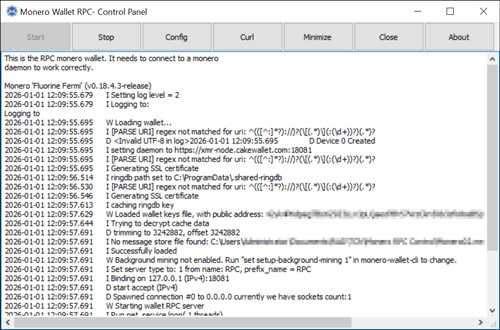
A control panel for Windows to control and configure the monero wallet RPC. The download includes the Delphi source code. Also included is the monero-wallet-rpc-x64.exe. Otherwise, download monero-wallet-rpc.exe from https://github.com/monero-project/monero/releases.
Configuration
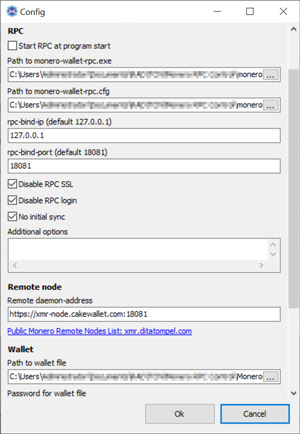
Before you start you have to specify the path to your Wallet file in the configuration. Other RPC options are described in the RPC documentation. The Remote node can also be changed to, for example, one of the listed here.
Curl
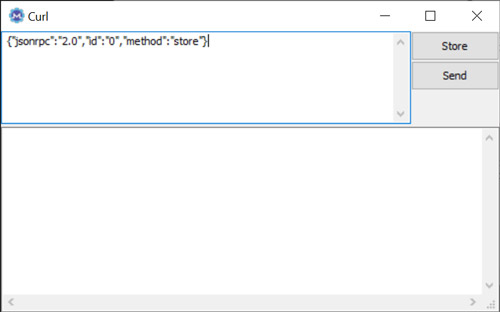
Windows 10 and 11 also comes with curl which makes it easier to execute JSON-RPC Methods. The curl request have to start with {"jsonrpc":"2.0",... The store button shows an example. The send button will execute the command.
Remarks
Moneros RPC wallet has some limitations. As long as the wallet gets synchronized the RPC is inresponsive. This can be some minutes up to hours. The RPC has also no auto-save feature. A Store-command has to be executed before every RPC ternination. Otherwise, the RPC will synchronize by every start again from the same height. Therefore, it's recommented to use the store command in the curl windows as described above.

Download:
Change log:
- Version 1.0.0.0: Initial version
Categories: Windows Delphi/Lazarus/Pascal